Coming soon · App Store · Built for iPhone Duo

A field instrument
that unfolds.

Point it at a plant, an insect, the night sky, a birdsong or the air around you. DuoCorder tells you what it is, how sure it is, and exactly where every number came from.

Coming soon to theApp Store See it on iPhone Duo
Instrument select

Four instruments. One app. No stack of subscriptions.

01 · BIO Identify what you find Plants, insects, animals, rocks and everyday objects, with a confidence score and alternative matches. 02 · SKY Name everything overhead Constellations, planets, the Moon and satellites, with a time scrubber and red night-vision mode. 03 · LISTEN Hear it, see it, name it A live spectrogram and a “heard nearby” list. Conversations are filtered out and never saved. 04 · ATMOS Know your surroundings Weather, UV and humidity at a glance, plus a noise meter with a running log.
Made for iPhone Duo

Every pose is a new instrument.

Closed, it is a quick-draw scanner. Open, the sensor and the analysis sit side by side. Fold it halfway and it stands on its own, like a piece of lab equipment on the trail.
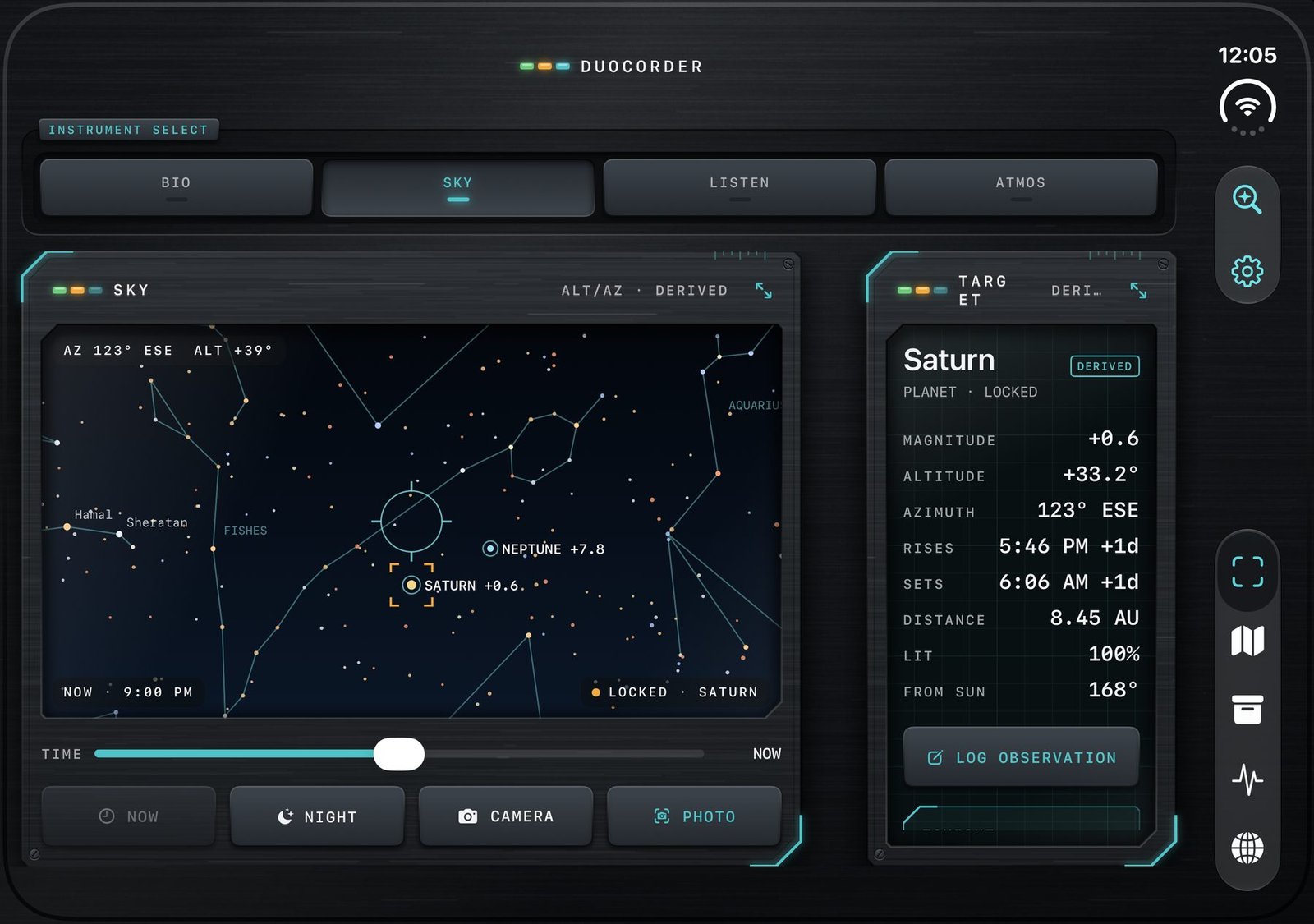
DuoCorder open in landscape on iPhone Duo: the SKY map shows constellations with Saturn locked beside a target panel listing magnitude, altitude, rise and set times
Open · Landscape The full instrument panel: live sensor on one side, target data on the other.
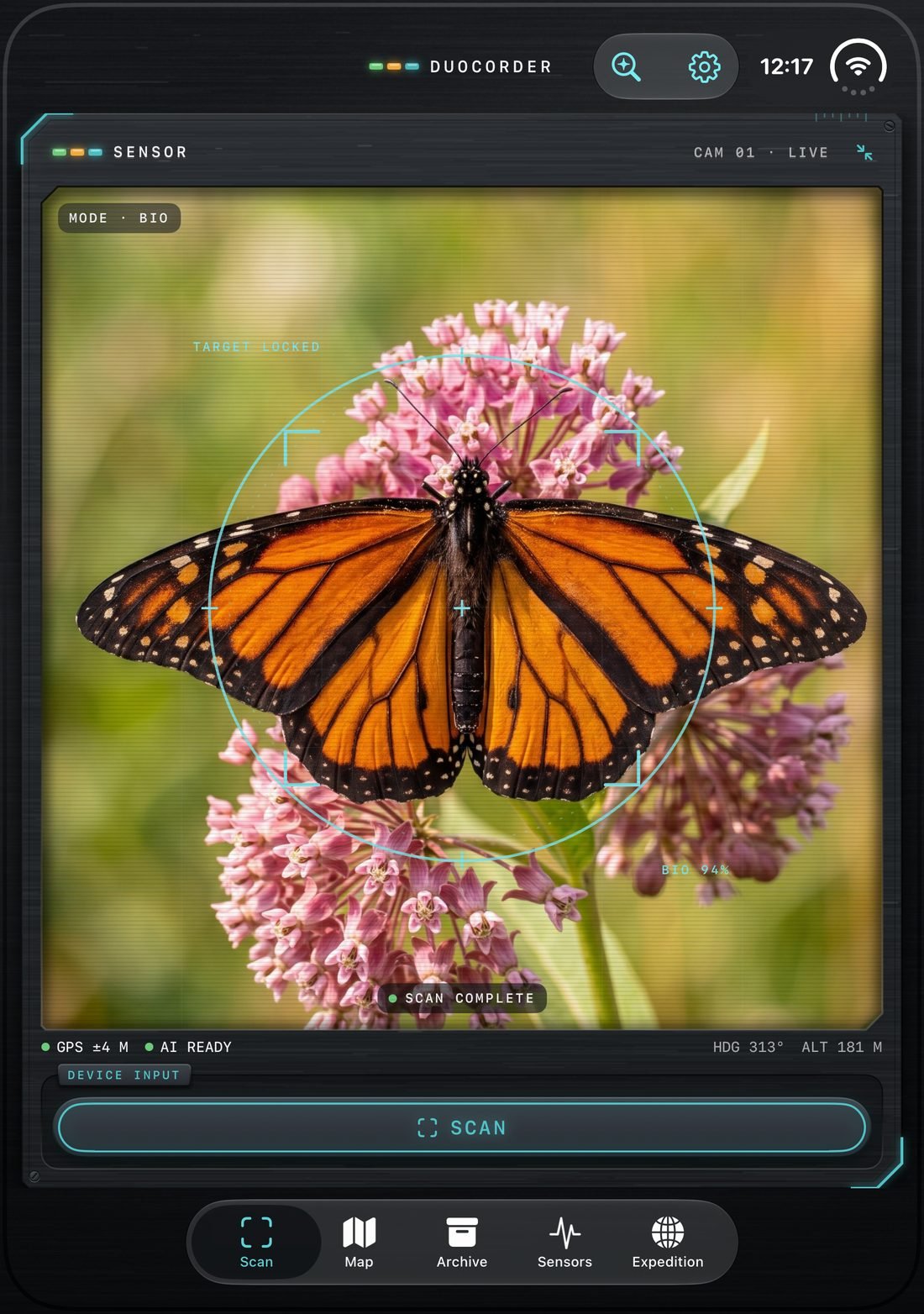
DuoCorder open in portrait: a tall camera sensor view of a monarch butterfly with the scan reticle locked
Open · Portrait A tall viewfinder for framing a specimen.
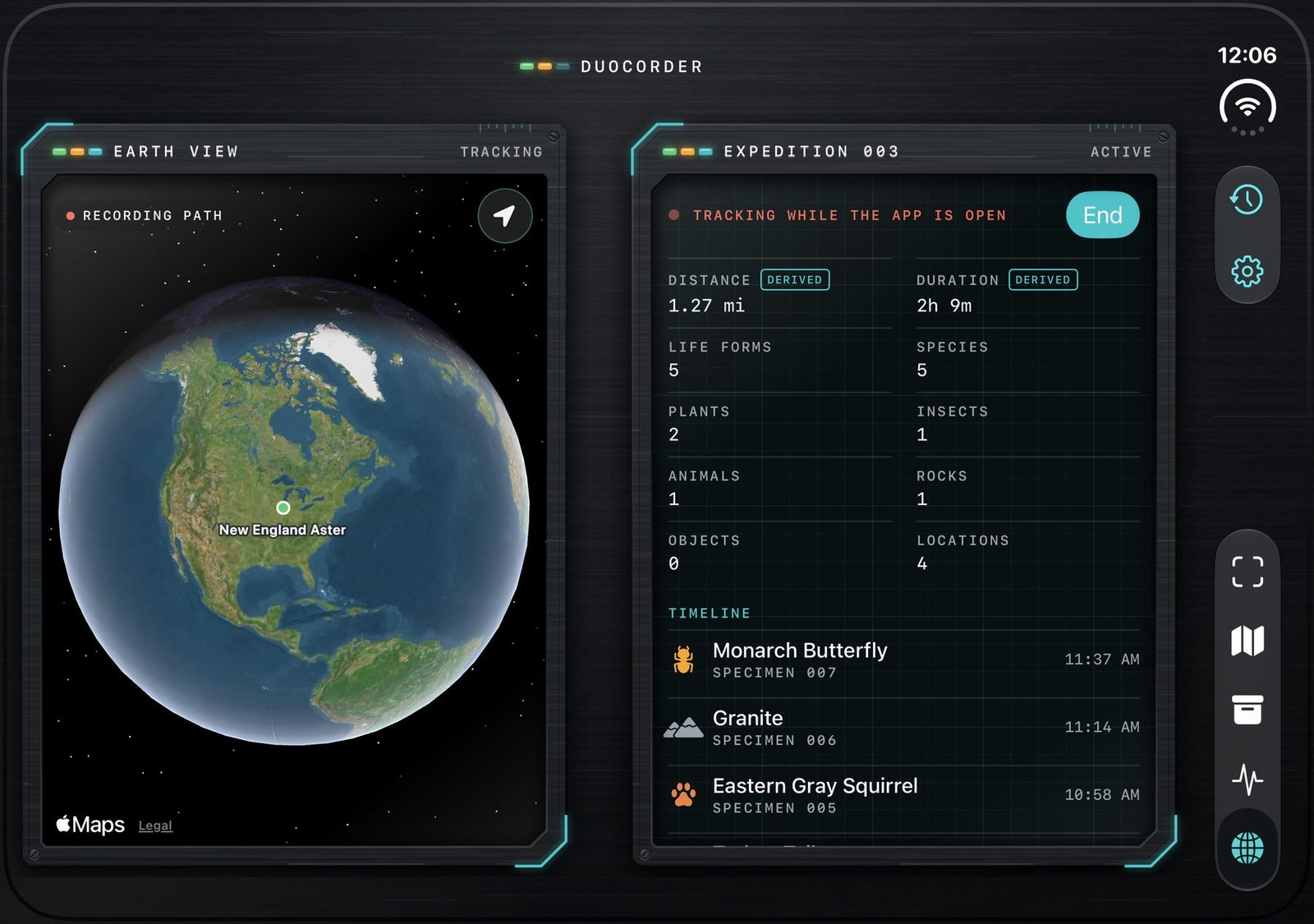
Partially open · Tabletop Set it down: Earth View stands up, expedition stats lie flat.
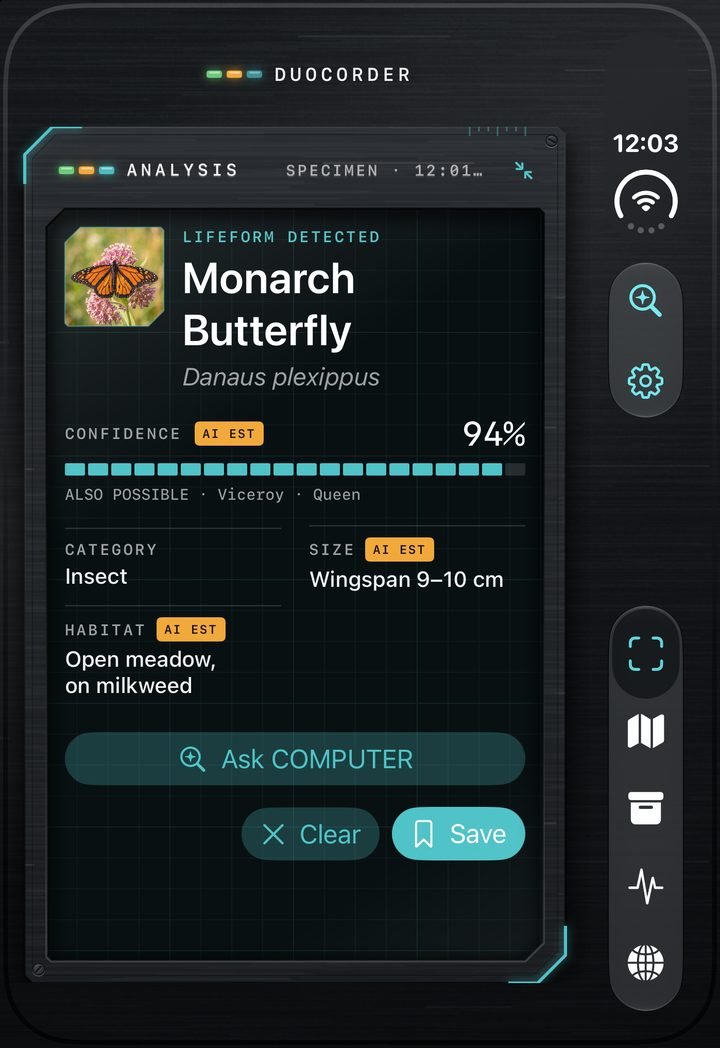
DuoCorder on the closed iPhone Duo cover screen: Lifeform detected, Monarch Butterfly, 94% confidence, with Ask COMPUTER and Save buttons
Closed · Cover screen One hand, one tap. Scan, save, keep walking.
Partially open · Book

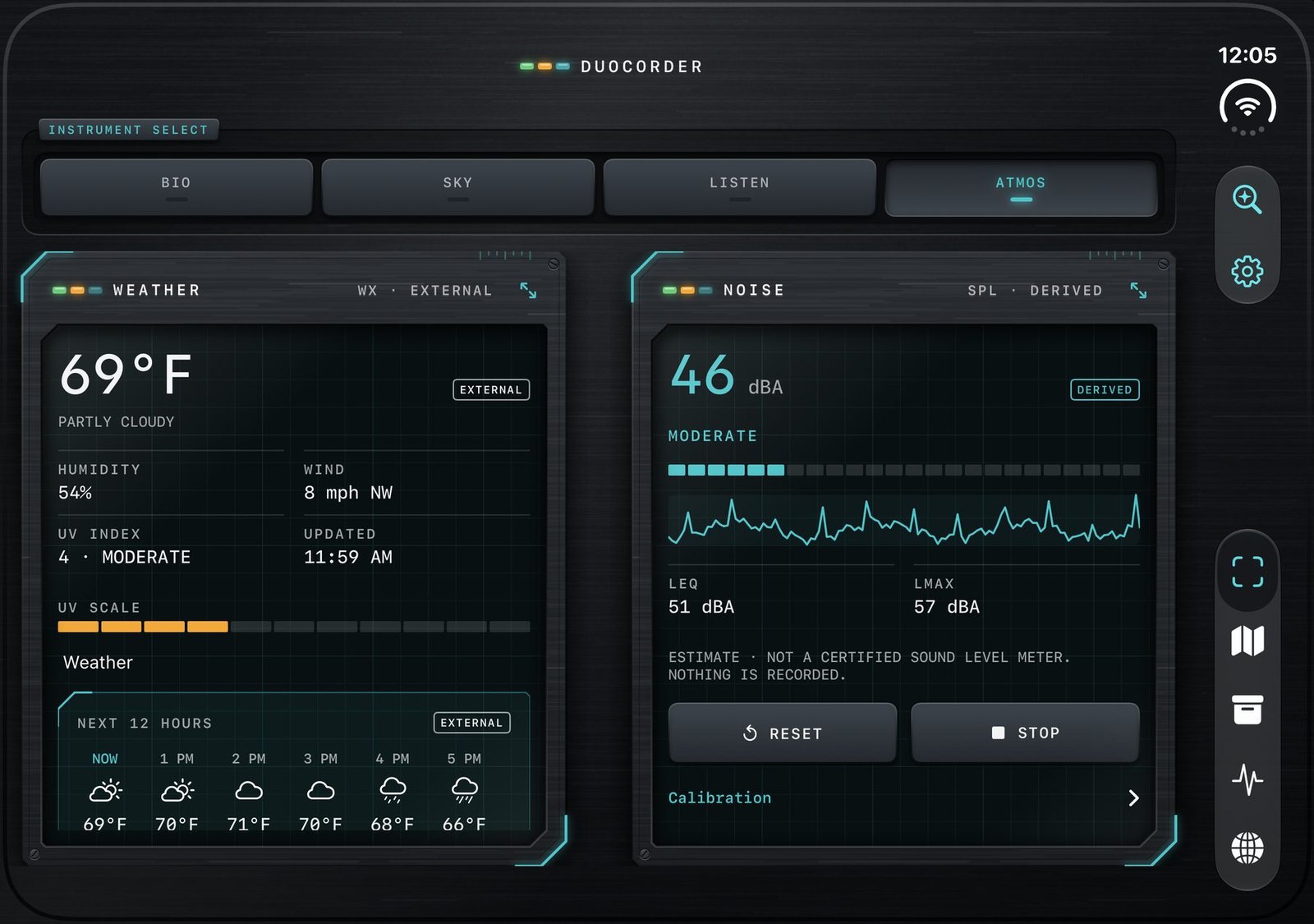
Two readings, one glance.

Hold it like a field notebook. Weather lands on the left page, the live noise meter on the right, each panel sitting on its own side of the fold.
01 · BIO

A guess never looks like a fact.

Scan plants, insects, animals, rocks and everyday objects with the camera. You get a name, a confidence score and the matches it might also be, plus size, habitat and your own field notes.

  • →“Scan again” refines a result with a fresh look.
  • →Ask COMPUTER, the built-in assistant: “Is this normally found here?”
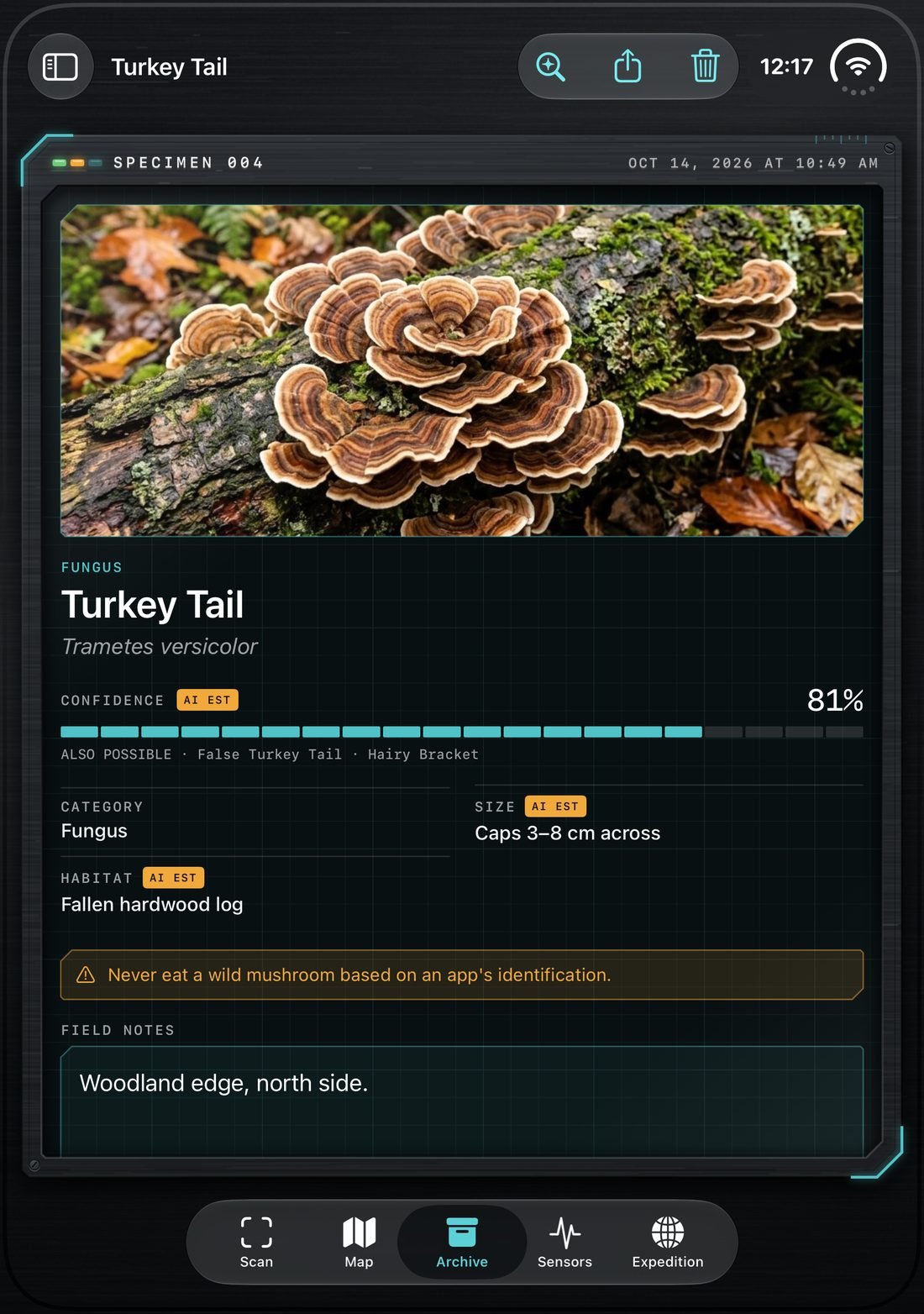
  • !Safety notices where they matter, like never eating a wild mushroom based on an app.
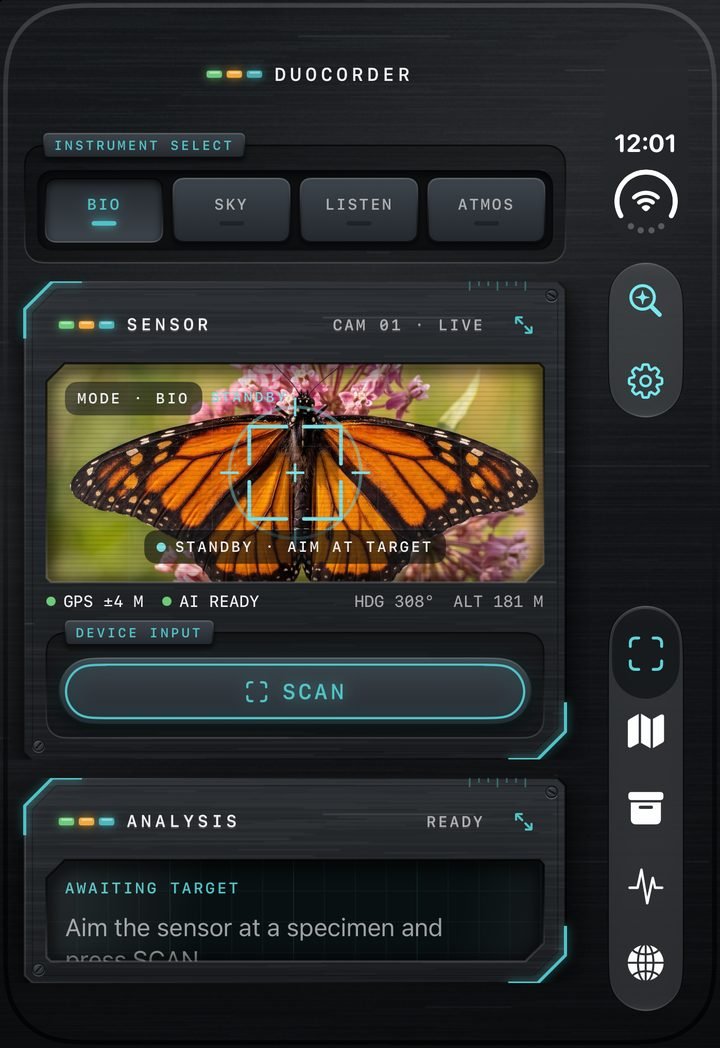
Closed iPhone Duo cover screen: BIO sensor aimed at a monarch butterfly, standby, aim at target
Open portrait: Specimen 004, Turkey Tail fungus, 81% confidence, with a warning never to eat a wild mushroom based on an app's identification
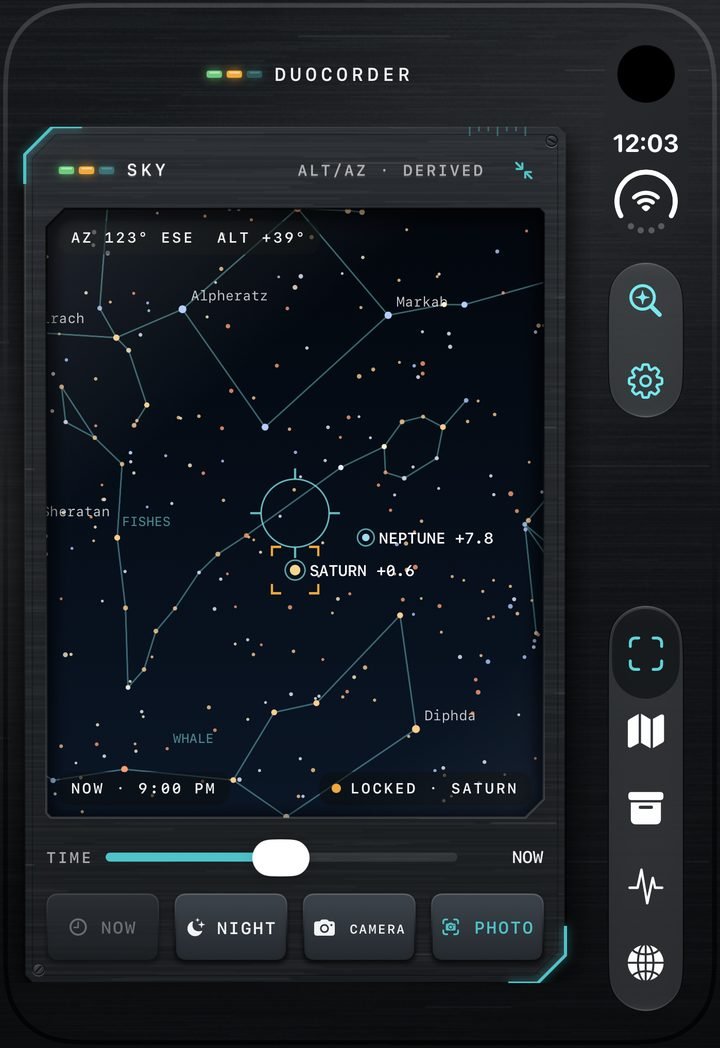
Closed cover screen: SKY map with constellations, Neptune and Saturn labelled, Saturn locked, a 9:00 PM time slider and Night, Camera and Photo controls
02 · SKY

Hold it up. Name the sky.

Constellations, planets, the Moon and satellites, including ISS passes. Lock a target to see its magnitude, altitude, azimuth, rise and set times and distance.

Time scrubber
See where things will be later tonight.
Night vision
A red mode that keeps your eyes adapted.
03 · LISTEN

See the sound around you.

A live spectrogram of what’s singing nearby, a “heard nearby” list with confidence, and past sessions saved for later. Human voices are filtered out and never saved.
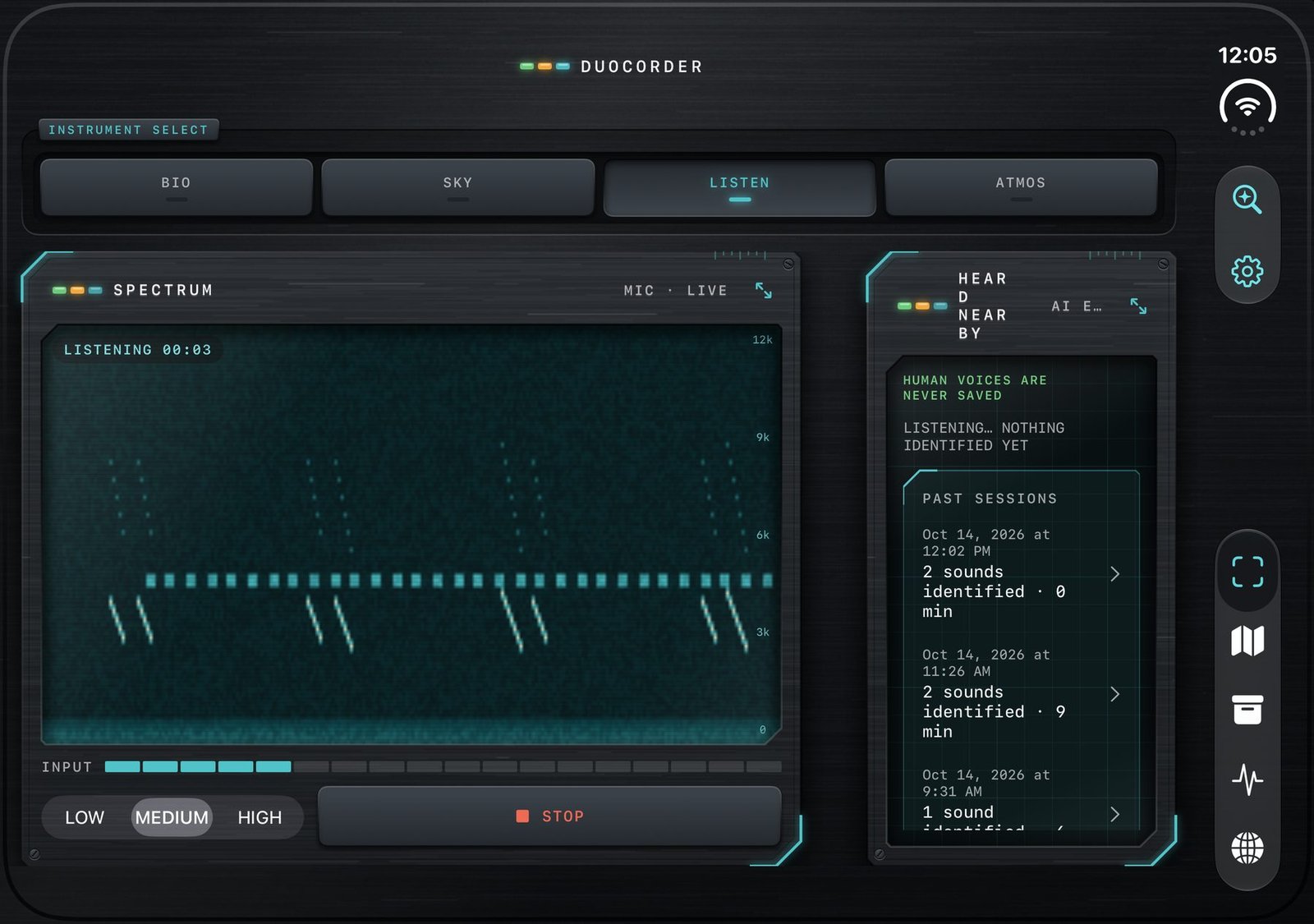
DuoCorder open in landscape: the LISTEN spectrum panel with a live spectrogram and Low, Medium, High sensitivity, beside a Heard Nearby panel noting human voices are never saved
04 · ATMOS

Read the air you’re standing in.

Temperature, humidity, wind, UV and the next twelve hours at a glance. The noise meter keeps a running log in dBA and says plainly that it is an estimate, not a certified sound level meter.
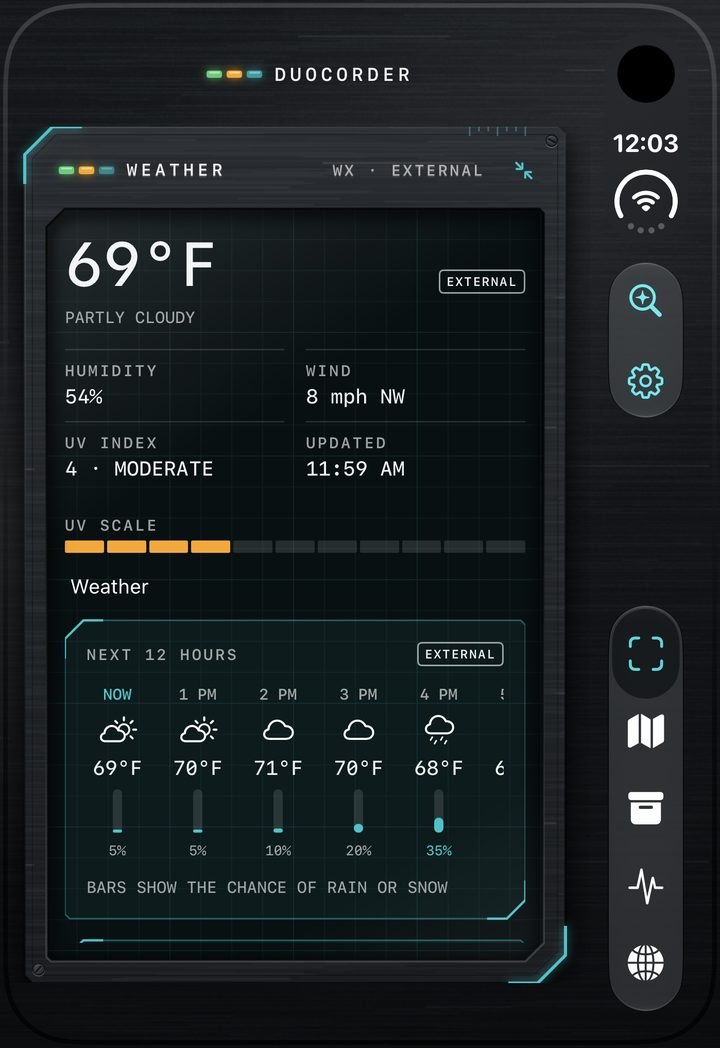
Closed cover screen: ATMOS weather panel showing 69°F partly cloudy, humidity, wind, UV index and a twelve-hour forecast
Honest by design

Every number tells you where it came from.

Each reading carries a small tag, so you always know whether you are looking at your hardware, a calculation, a model’s estimate or a data service. Low-confidence results say “possible match”.

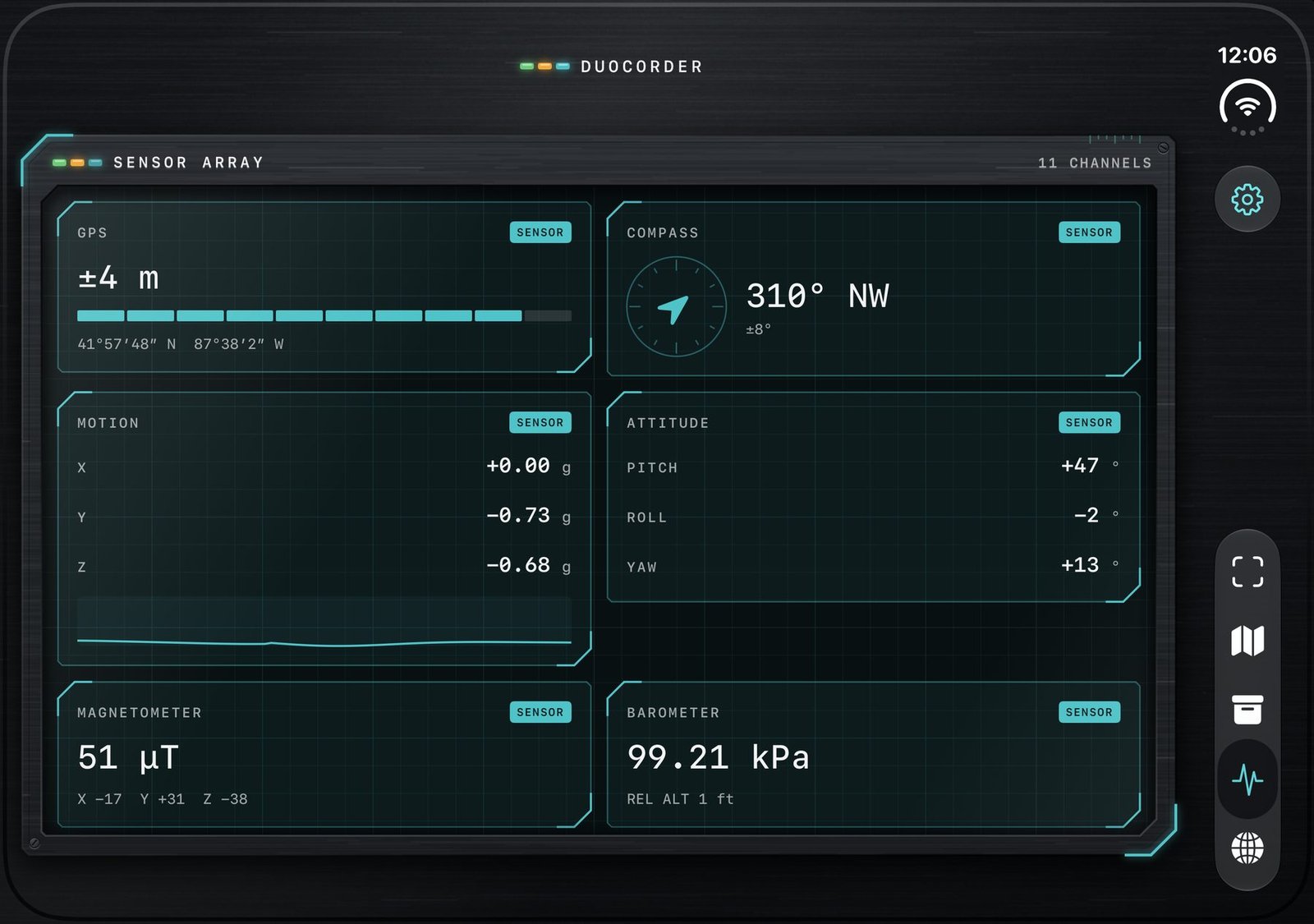
Sensor Measured by your device’s hardware: GPS, compass, barometer, magnetometer, motion.
Derived Calculated from sensor data, like altitude, distance walked or a planet’s position.
AI est A model’s estimate, always shown with its confidence and the alternatives.
External Pulled from a data service, such as the weather forecast.
The field kit

Everything you find, kept and mapped.

A map of every discovery, a searchable archive, a live sensor dashboard and expeditions that track what you find over time.
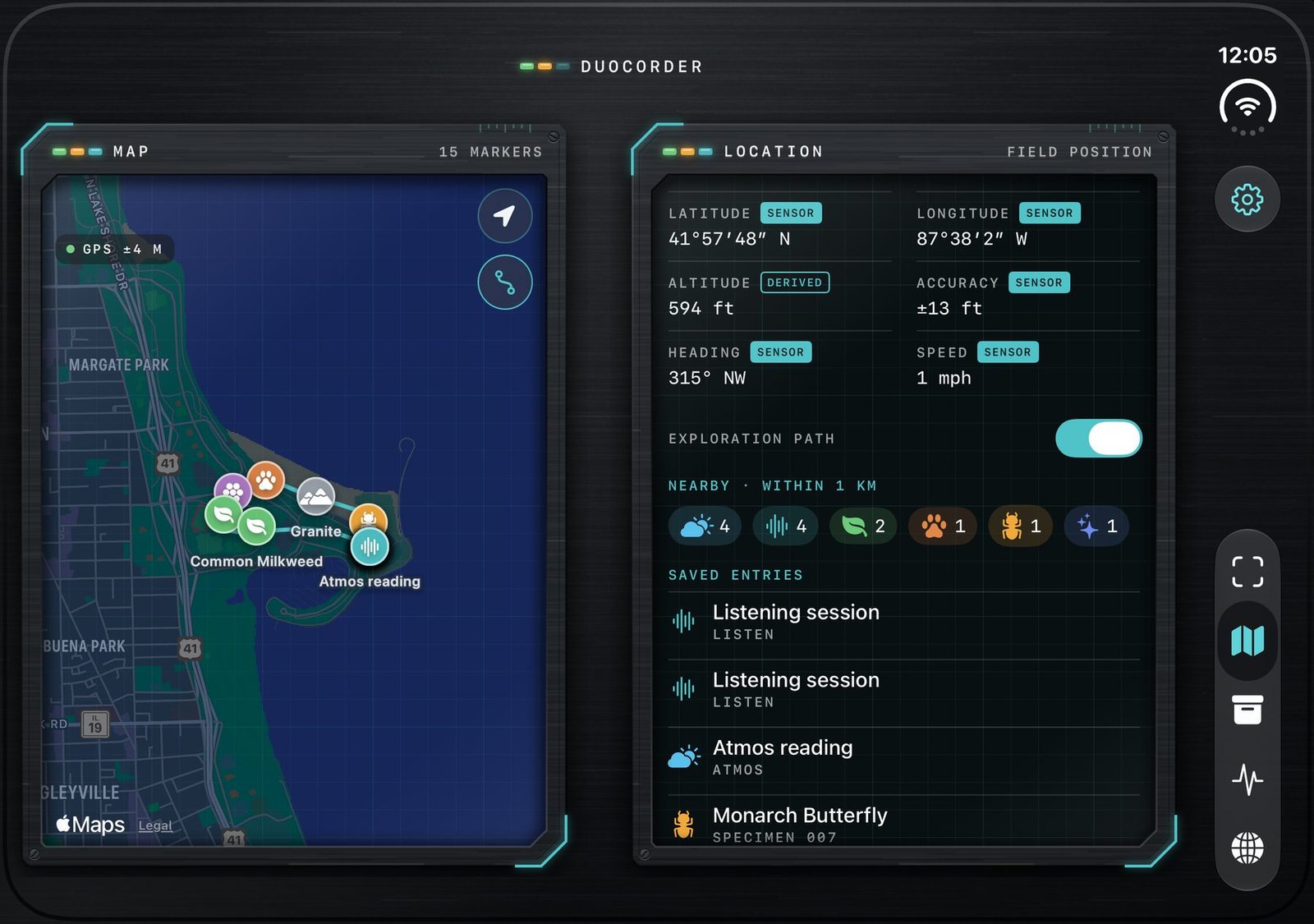
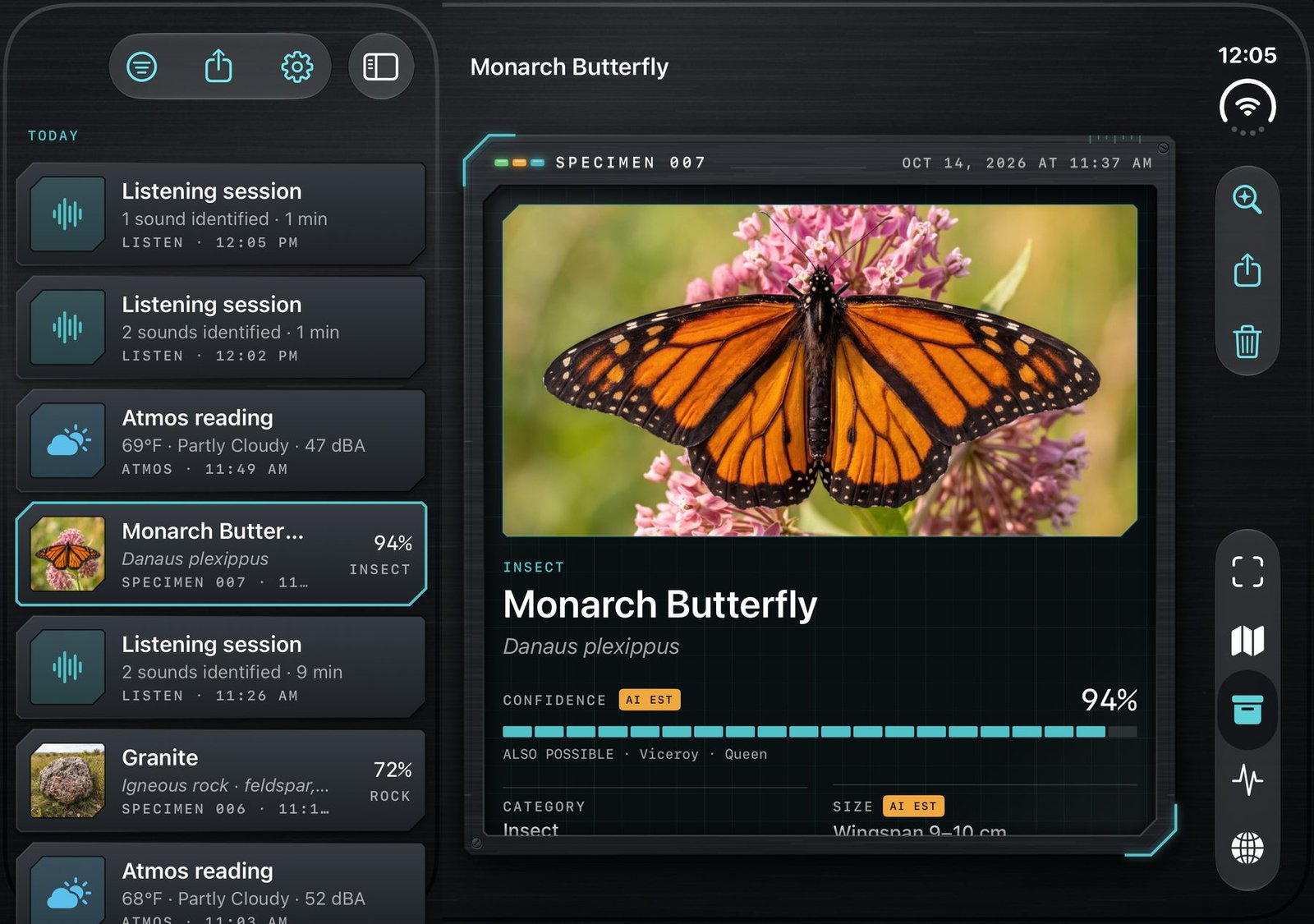
MAP: markers for saved finds such as Common Milkweed, Granite and an Atmos reading, beside a location panel with latitude, longitude, altitude, heading and nearby counts
MapEvery find pinned where you made it, with an optional exploration path.
ARCHIVE: a list of listening sessions, atmos readings and specimens beside the Monarch Butterfly specimen record
ArchiveSearch by name, species or your own notes. List on one side, record on the other.
SENSOR ARRAY: GPS accuracy, compass heading, motion, attitude, magnetometer and barometer readings, each tagged SENSOR
Sensor arrayEleven live channels, from GPS and compass to barometer, light and microphone.
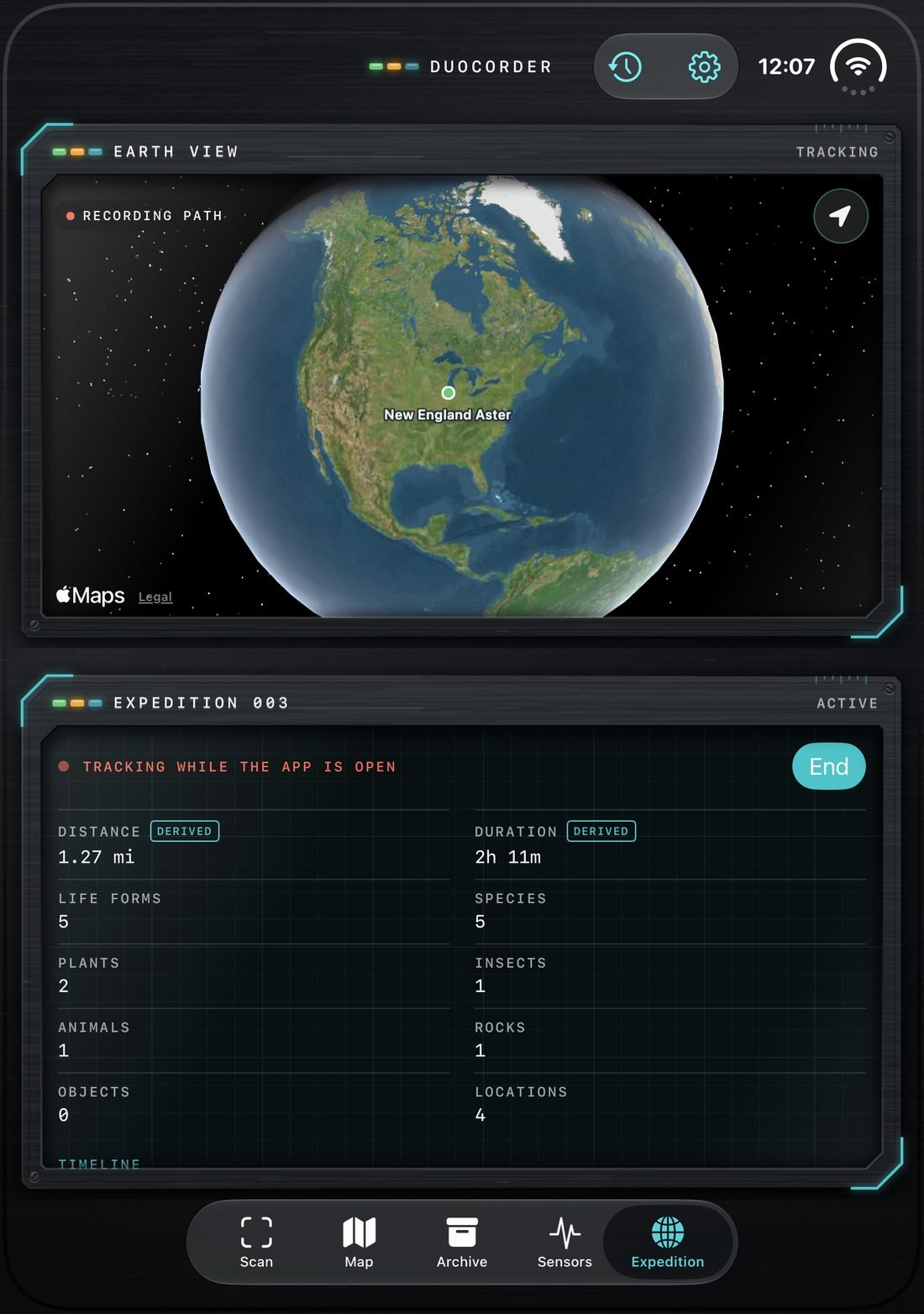
EXPEDITION: Earth View globe with the recording path, beside expedition stats for distance, duration, life forms and species, and a timeline of finds
ExpeditionTrack a walk: distance, duration, life forms and species, on a timeline you can revisit.
Local-first

Your field log stays in your pocket.

Stored on device

Specimens, sessions and photos live on your iPhone. Nothing leaves unless you export it or ask for a cloud ID.

Speech is never saved

Microphone audio is processed on device and windows containing human speech are discarded.

You choose how it identifies

On-device only, or cloud identification. Images are sent only at the moment you scan.

No tracking SDKs

Export everything or delete everything from Settings, any time.

DuoCorder app icon

Coming soon to the App Store.

Designed first for iPhone Duo, and at home on every iPhone and iPad.

iPhone Duo iPhone iPad