SubView subscription tracker app icon
Subscription Tracker · No Bank Account Needed

The Subscription Tracker App That Never Asks for Your Bank Login

SubView gives you instant clarity on every recurring charge — your monthly burn rate, upcoming renewals, and the true long-term cost of what you're subscribed to. No bank linking, no account, no data collection. Just your subscriptions, finally visible.

 Download on the App Store — Free
✓ No bank linking✓ No account needed✓ 100% private & on-device✓ One-time $9.99, not another subscription

See SubView in Action

Every subscription, every cost, in one clean view — before another renewal catches you off guard.

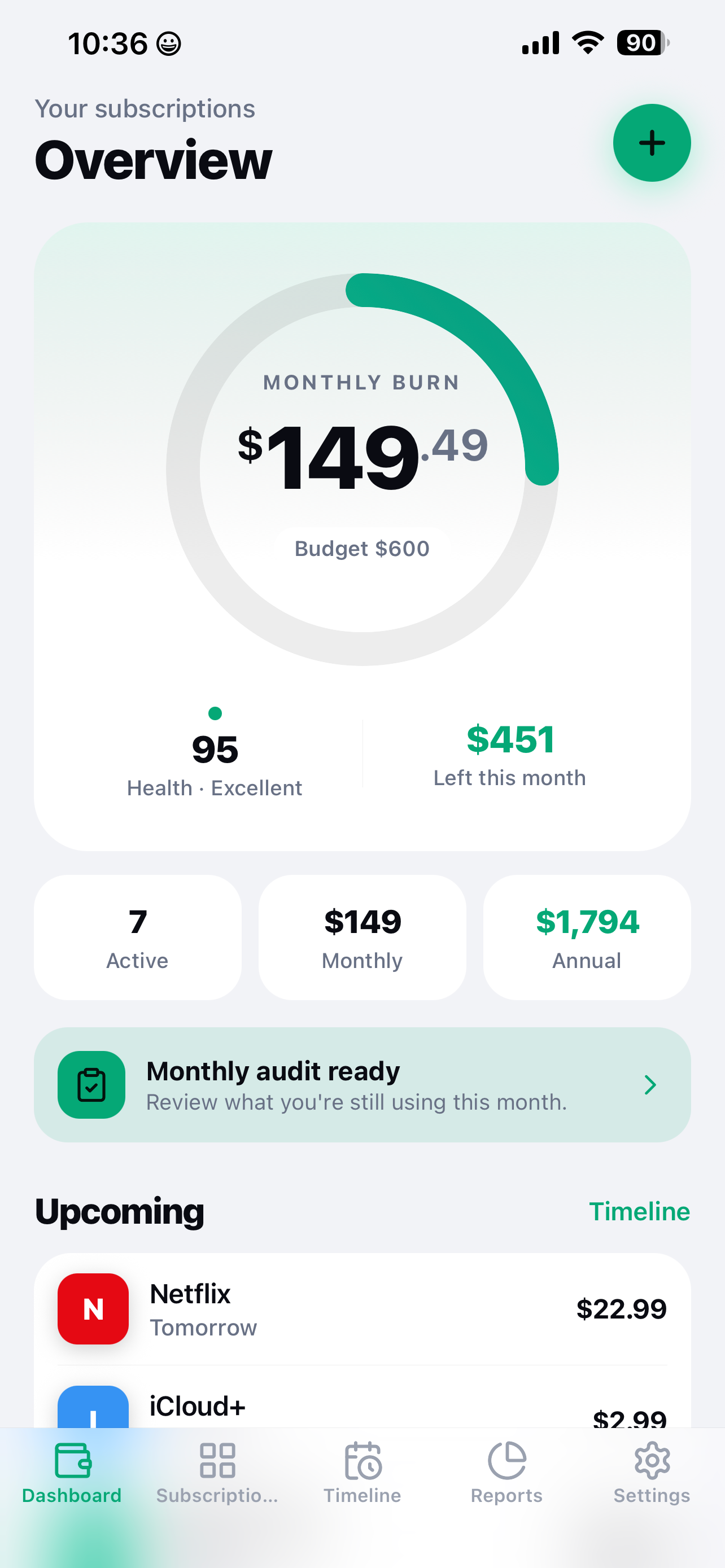
SubView dashboard showing every subscription in one overview

See everything at a glance — all your subscriptions, one clean overview

SubView monthly burn rate screen showing total subscription spend

Your monthly burn rate — one clear number, no surprises

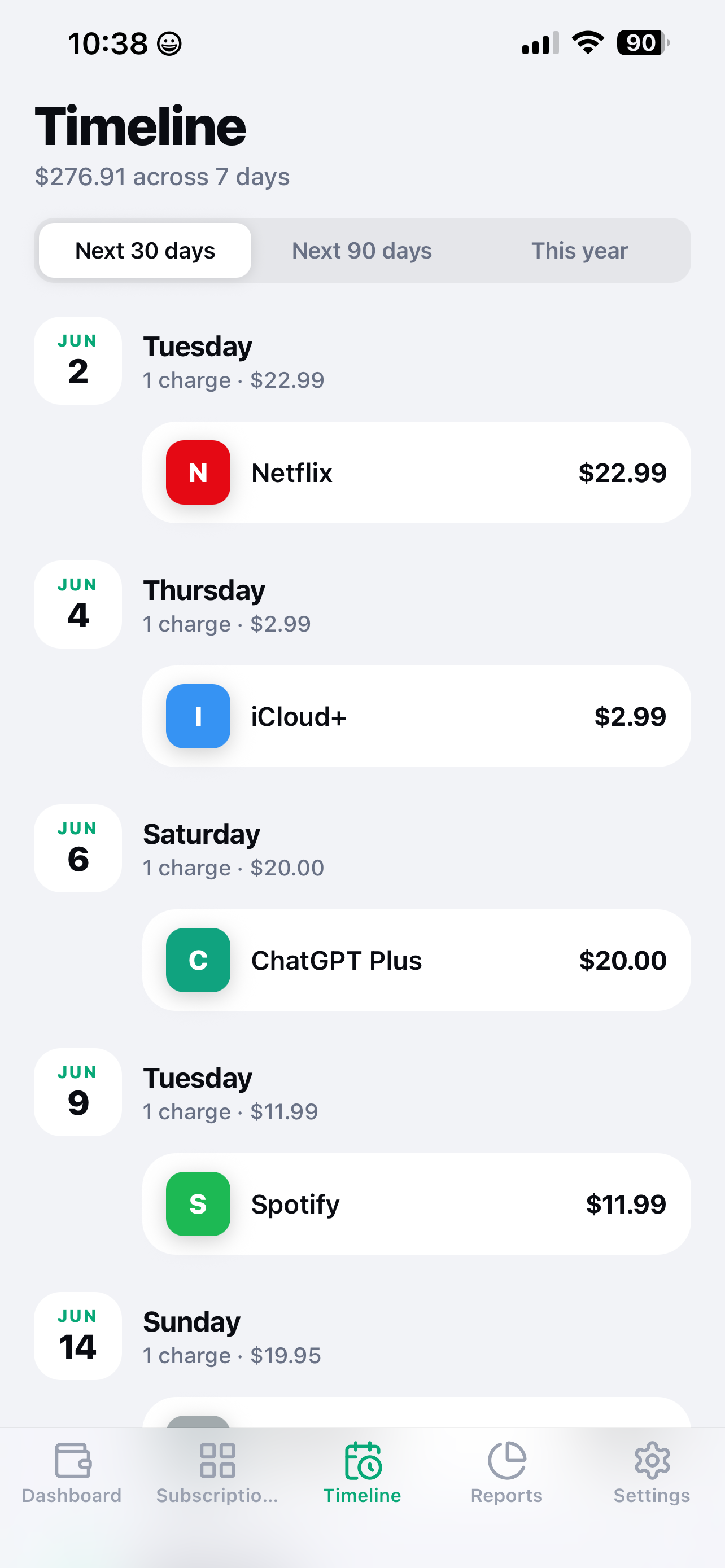
SubView upcoming subscription renewals timeline view

Track upcoming renewals before they charge

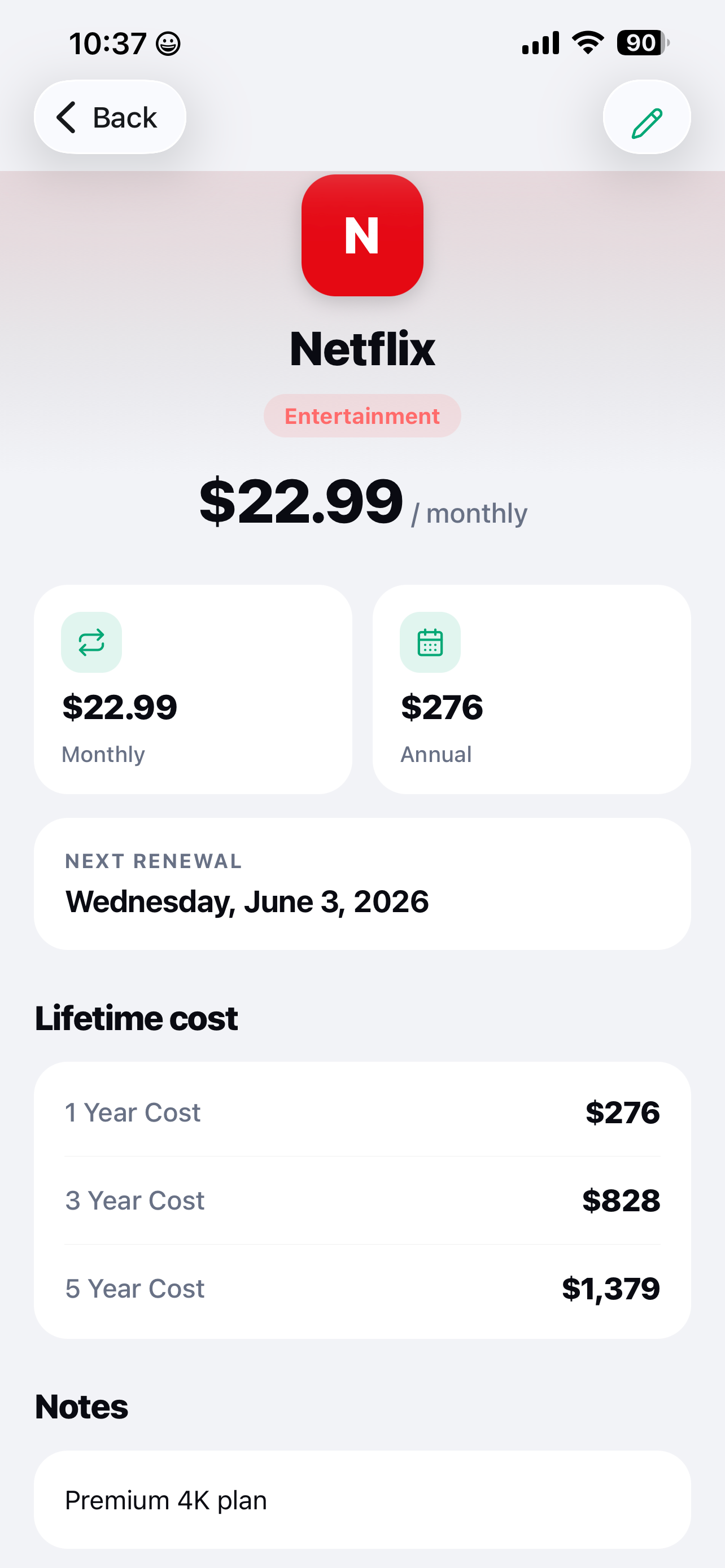
SubView long-term cost projection for a subscription over 5 years

Reveal what a subscription really costs over 1, 3, or 5 years

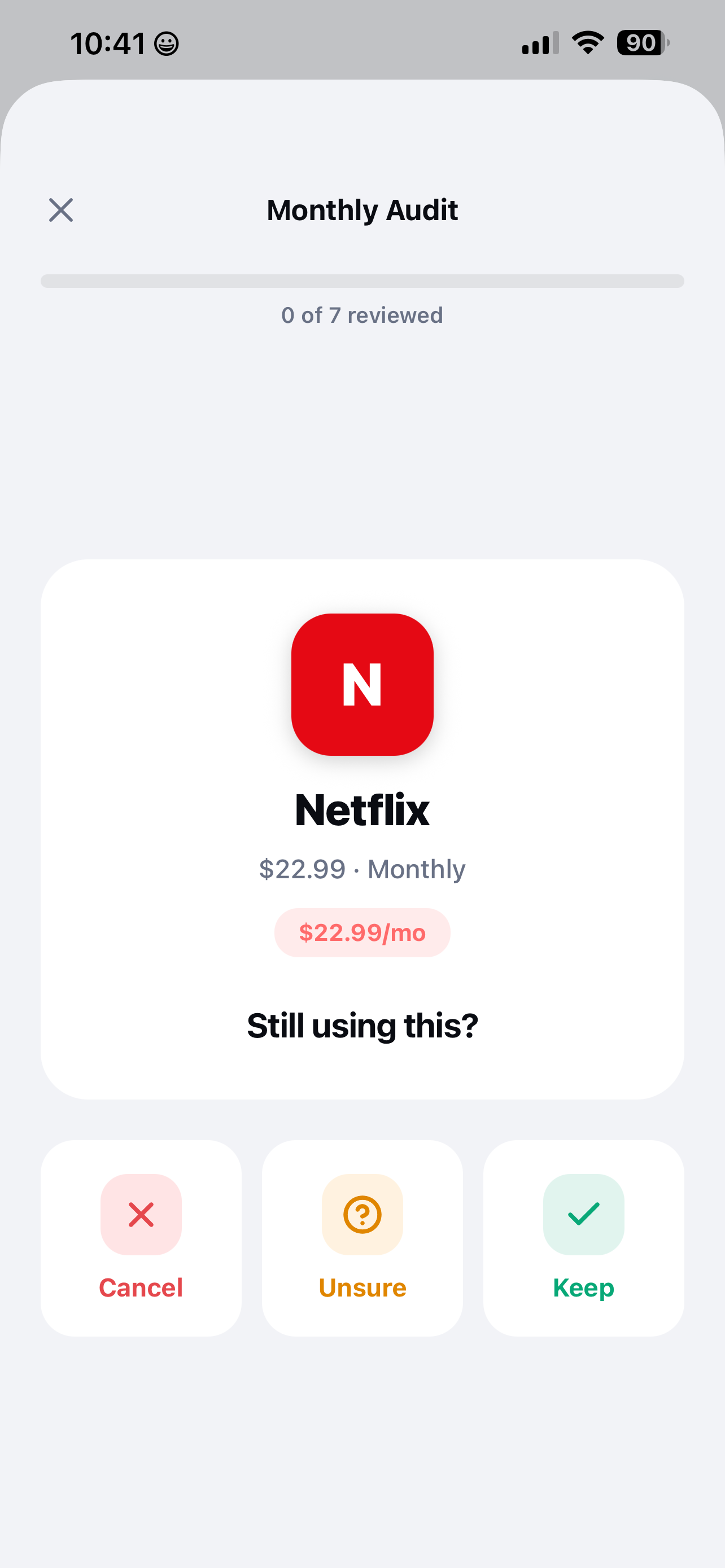
SubView guided monthly subscription audit tool

Run a guided audit — spot what you've stopped using

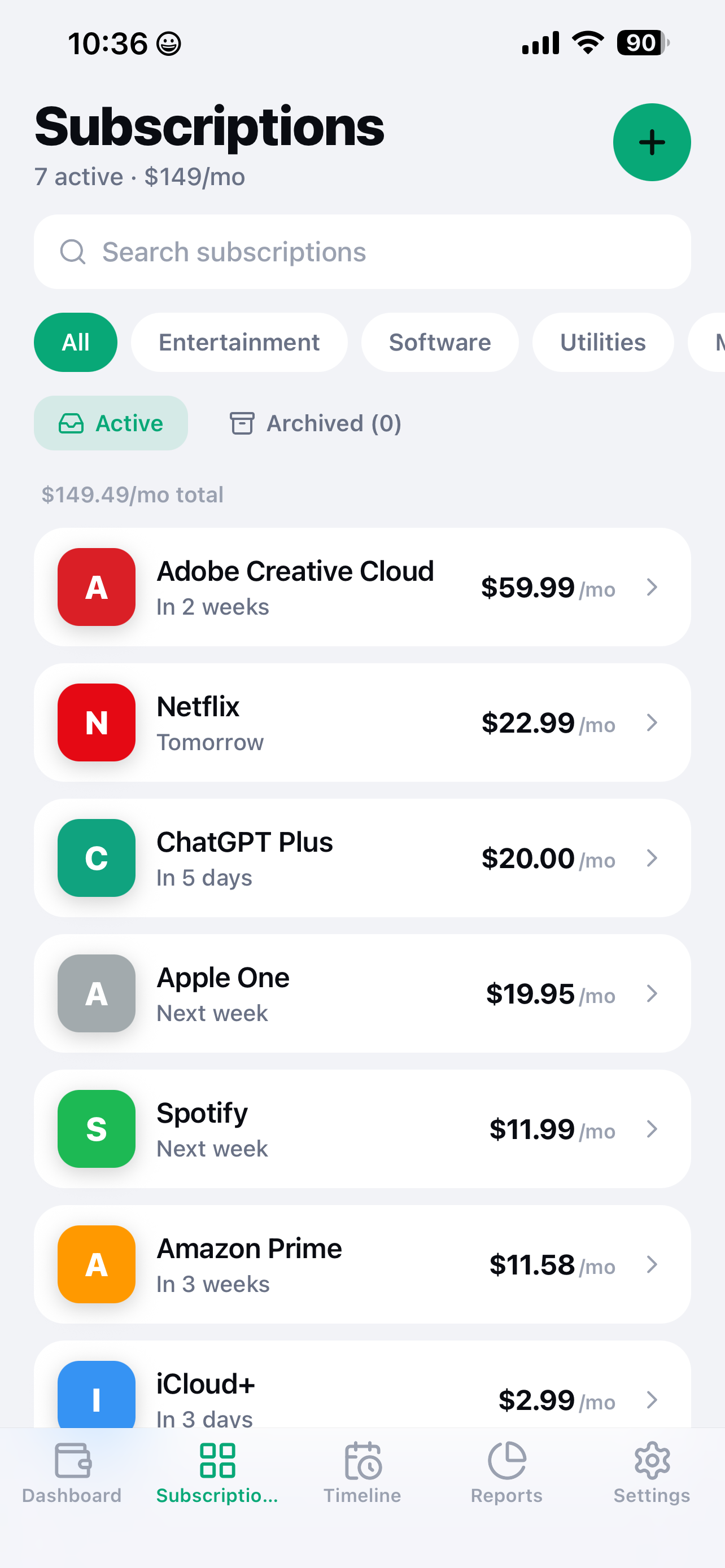
SubView subscription list management screen

Manage every subscription, organized and editable

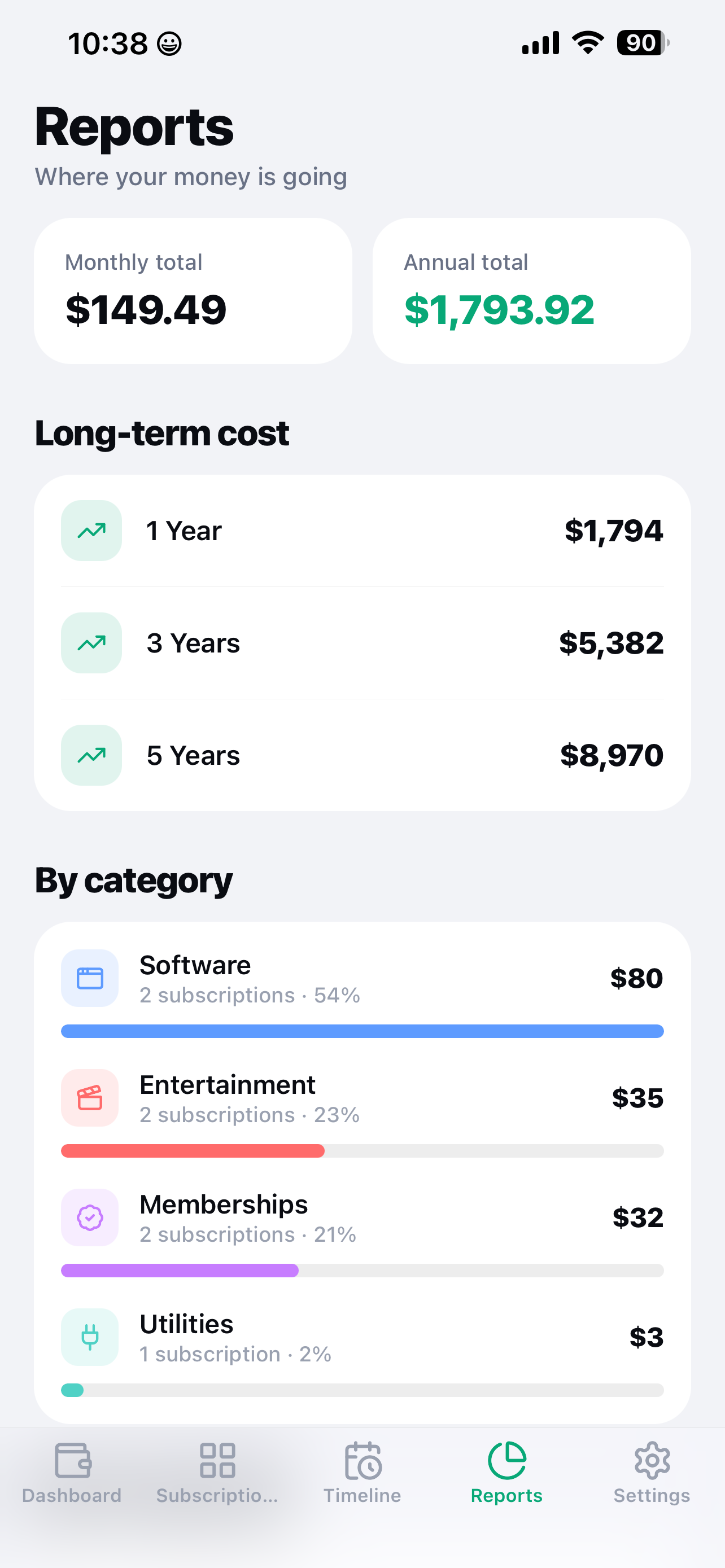
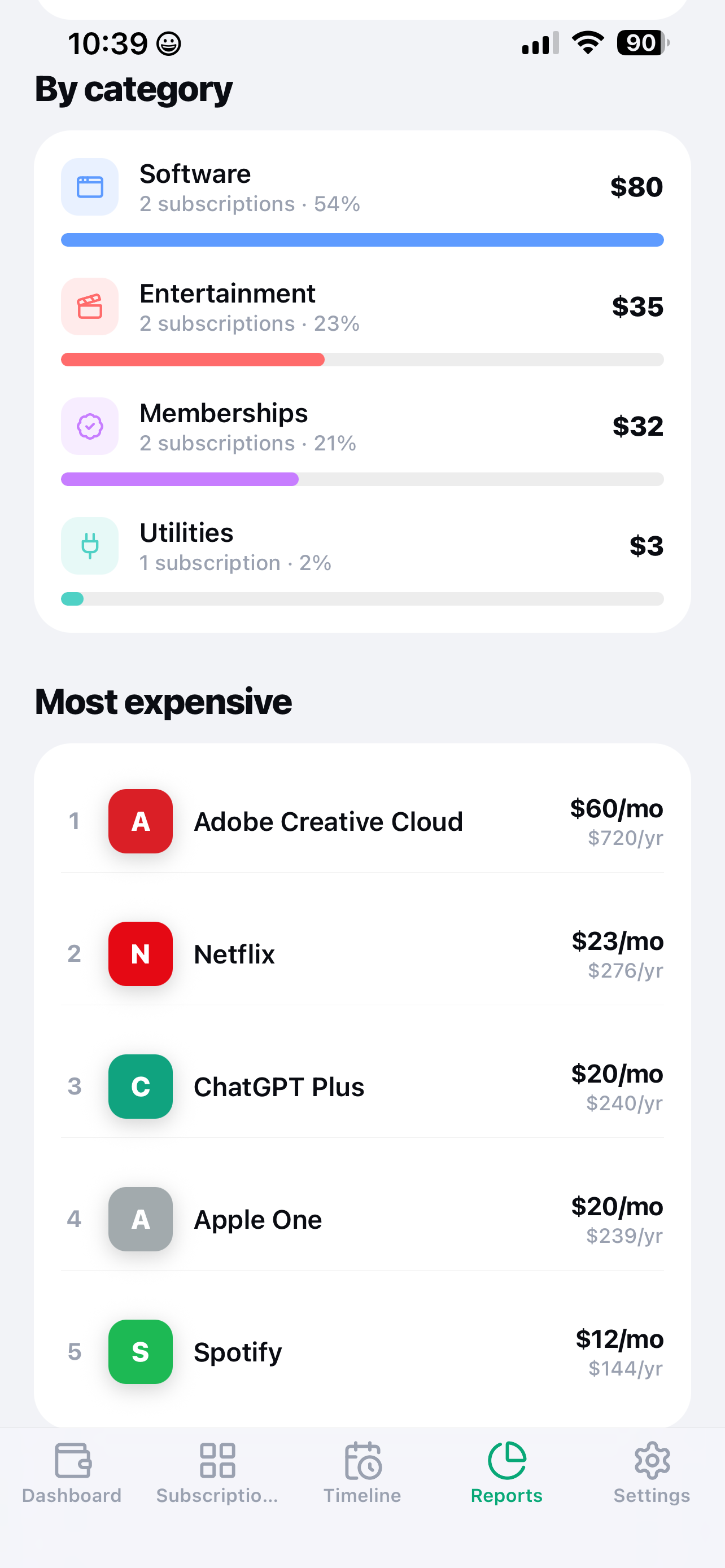
SubView spending breakdown by category

Spot your biggest spending by category, instantly

How It Works

From "where does my money go" to total clarity in three steps.

1

Add subscriptions manually

Pick from the built-in library or add your own — name, billing cycle, cost, and next renewal date. No bank login, no account, nothing to connect.

2

See your dashboard

Your monthly total, next renewal, and budget status — all in one view. SubView does the math so you don't have to add it up in your head.

3

Audit and cut the dead weight

Run the guided monthly audit, spot what you've stopped using, and reveal the real long-term cost before you let another renewal ride.

Guides

Practical, actionable answers to the subscription-spending questions people search before they cancel anything.

How to Find and Cancel Unused Subscriptions

The step-by-step way to surface every forgotten charge — bank statements, App Store settings, and a system that keeps it from happening again.

Read the guide →

How Much Am I Actually Spending on Subscriptions?

Why the number in your head is almost always wrong, and the fastest way to get the real total.

Read the guide →

Subscription Tracker Apps Without Bank Access

Why linking your bank to a subscription tracker is riskier than it looks — and how to track everything without it.

Read the guide →

The True Cost of a Subscription Over Time

How a "small" monthly charge turns into hundreds or thousands of dollars — and how to do the math before you commit.

Read the guide →

Frequently Asked Questions

Everything people ask before tracking their subscriptions with SubView.

Does SubView need my bank login?

No. SubView never asks for bank credentials or account access. You add each subscription manually — name, cost, and billing cycle — so there's nothing to connect and nothing that can leak in a data breach. Learn more →

How do I see my monthly subscription burn rate?

SubView adds up every active subscription's cost, normalized to a monthly figure, and shows it as one clear number on your dashboard — so you always know exactly what you're paying every month. Learn more →

Can SubView remind me before a subscription renews?

Yes. SubView's Timeline view lays out upcoming renewals in calendar form, so you can see exactly what's charging next and when, instead of getting surprised by a charge on your statement. Learn more →

What does "reveal long-term cost" actually show me?

SubView projects each subscription's real cost over time — annual totals, 3-year projections, and lifetime estimates — so a $14.99/month subscription shows its true 5-year price tag before you keep paying for it. Learn more →

Is SubView free?

Yes — free to download, tracking up to 5 subscriptions with no time limit. Premium (unlimited subscriptions, reports & analytics, monthly audit, budget alerts, timeline view, export/import, biometric lock) is a one-time $9.99 unlock. No subscription required. Learn more →

How does the monthly audit tool help me cancel unused subscriptions?

SubView's guided monthly audit walks you through every active subscription one at a time, prompting you to confirm you still use and want it — surfacing the forgotten ones before another renewal quietly goes through. Learn more →

Know Every Subscription. Own Every Dollar.

Free to start, no bank linking, ever. Premium is a one-time $9.99 — no irony of paying a subscription to track subscriptions.

 Get SubView Free